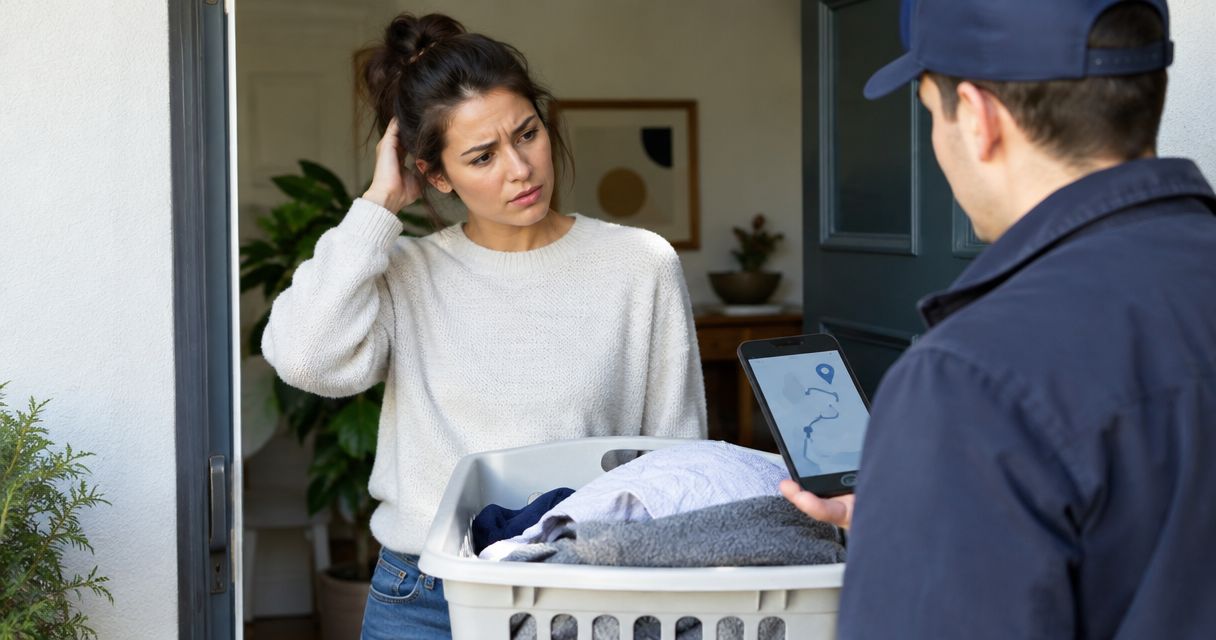

Instead of manually chasing coworkers about laundry every week, connect Hampr to Slack through scheduled reminders that tell your office who needs to prepare the bags and confirm the pickup. This 2026 guide uses Slack’s reminder commands—not an order-data integration—so booking and checking the actual laundry service remain separate tasks.
- Connect Hampr to Slack with scheduled office laundry reminders, not automatic pickup booking.
- Use a recurring channel reminder for steady routines and a dated reminder for exceptions.
- Assign a booking owner and backup so a reminder becomes an action.
- Slack reminders do not confirm that laundry was booked, collected, or delivered.
Why this matters
A laundry reminder solves a coordination problem. A pickup service handles the washing. Mixing those jobs up leaves you with a very organized message thread and a bag that never leaves the office.
Hampr laundry pickup is best for offices that want washing and folding handled outside the workplace. Hampr provides pickup, wash, fold, and delivery for households and businesses in select US cities. The trade-off in this reminder workflow is straightforward: someone still needs to manage the service booking and report changes to the team.
For your 2026 office routine, make Slack the place where coworkers see the next action—not a substitute for the service’s actual booking details. A reminder saying “prepare the bags” is useful. A reminder saying “your driver is arriving” implies information this setup does not receive.
Before you start
- Service access: Have access to the laundry service account used by your office, and confirm that your office location and intended laundry are covered before setting up reminders.
- Slack access: Use a Slack account that can post in the chosen channel. Have the booking owner, backup, preparation location, and intended reminder schedule ready.
- The easy-to-miss gotcha: A recurring Slack reminder repeats independently of your laundry booking. Rescheduling or canceling a pickup does not update the reminder; your office owner must keep the two aligned.
Keep building access codes, payment information, and personal customer details out of reminder text. Use only the preparation details the channel’s members need to act.
Choose your reminder pattern
Use recurring reminders for a stable office routine; use dated reminders for exceptions. These are two ways to coordinate work inside Slack, not two ways to place a laundry order.
| Reminder pattern | Best for | Main advantage | Limitation |
|---|---|---|---|
| Recurring channel reminder | Offices with a steady preparation routine | Repeats without someone writing the same message each week | Continues even when a booking changes |
| Dated channel reminder | A moved pickup or an irregular laundry day | Names the specific preparation date | Needs a new reminder for the next exception |
Choose the smallest setup your team will maintain. One channel, one owner, and clear wording beat a collection of reminders that nobody understands.
If your office does not have a regular laundry rhythm, start with the dated version. You can add recurrence after the preparation routine is clear; there is no benefit to repeating the wrong instructions on schedule.
Assign ownership
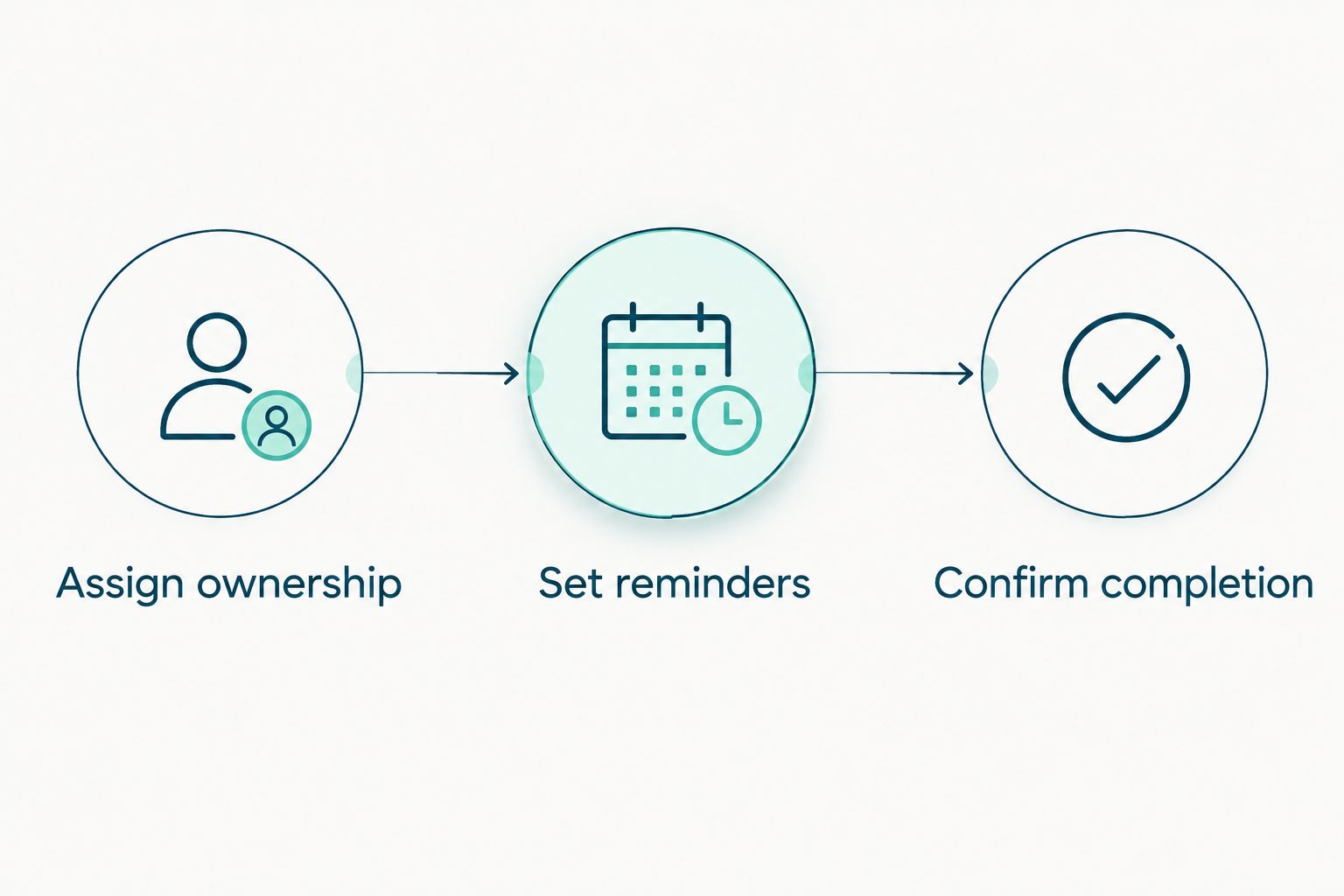
The first configuration step happens before you type a command. Decide who turns a Slack message into a completed task.
- Choose an existing office-operations channel or create a dedicated channel using your workspace’s normal process. The examples below use
#office-laundry; replace that example with your actual channel. - Name a primary booking owner and a backup. The primary handles the service account; the backup steps in when that person is away.
- Choose a preparation location and define what “ready” means. For example: the agreed items are gathered, pockets are checked, and the bags are placed in the designated indoor staging area.
- Write a short channel message explaining ownership: “Office coordinator handles booking. Front-desk backup covers absences. Reply in the reminder thread when bags are ready.”
Expected result: A coworker reading the channel knows where the laundry goes, who handles the booking, and how to report completion. Nobody needs to guess whether “someone” means them.
Keep the task appropriate for the laundry you actually send. Do not turn the channel message into blanket permission to include every fabric, rug, uniform, or specialty item in the office. For a preparation checklist, use the guide to preparing laundry for pickup and delivery.
Set reminders
For this 2026 setup, start with one preparation reminder. Add a second checkpoint only if it covers a different job, such as asking the booking owner to verify the arrangements.
- Open Slack and select the message field in your chosen channel.
- Type the /remind command with the channel, task, and repeat schedule. For example:
/remind #office-laundry Prepare office laundry bags in the designated staging area; booking owner confirms arrangements every Tuesday at 3pm. - Press Enter to submit the command. Read Slack’s confirmation and check the destination, message, and recurrence before relying on it.
- Make sure the reminder time fits the office’s working hours and the actual preparation deadline. For example, choose a preparation checkpoint 1 business day before your intended pickup—not after the bags need to be ready.
- If a separate booking check is necessary, create a different reminder with different wording. Ask the owner to verify the booking rather than telling the team that a pickup is confirmed.
Expected result: Slack confirms a recurring reminder for the intended channel and schedule. That confirmation verifies the reminder setup only; it does not verify a laundry reservation.
The Tuesday time is an example, not a recommended pickup schedule. Set your reminder around the arrangements your office has actually made. When colleagues work across time zones, agree on the office’s local preparation deadline and check the scheduled time shown in Slack.
A useful message names an action and a responsible role. “Laundry day!” is cheerful, but it leaves everyone wondering whether they should gather towels, book service, or simply admire the pile.
Confirm completion
Test the message before making it part of the office routine. You are checking whether the team can act on the reminder, not whether Slack can run the laundry service.
- Create a temporary test using /remind, your channel name, a clearly marked test message, and
in 2 minutes. For example:/remind #office-laundry TEST: check office laundry reminder wording in 2 minutes. - When the message appears, check that it reached the correct channel and that its wording makes sense without extra explanation.
- Ask the booking owner to reply in a thread with the next action. Use plain statements such as “Bags ready; checking booking” or “Pickup details checked; preparation complete.”
- Type /remind list to review your reminders. Remove the temporary test and any obsolete reminders using the controls Slack presents.
- Review the first real preparation cycle with your backup. If both people assume the other is booking, fix the ownership instruction before adding more automation.
Expected result: The reminder appears where expected, the owner understands the task, and the thread distinguishes preparation from booking confirmation.
Keep those states separate. “Bags ready” does not mean “pickup booked,” and “pickup booked” does not mean “bags collected.” Ask the owner to report what they have actually verified.
For your first 2026 cycle, a short completion reply is enough. You do not need a complicated tracking system to establish a reliable handoff.
Send a dated reminder when pickup plans change
A dated reminder is the better variant when your office has an irregular laundry day or moves its preparation deadline. This workflow starts with a person checking the changed arrangements; it does not listen for service-account updates.
- Confirm the changed pickup details through the service account or the appropriate service communication. Do this before changing the office instructions.
- Review the existing reminders with /remind list. Remove a recurring reminder if it no longer represents your intended routine.
- Create a dated channel reminder with /remind. For example, use
/remind #office-laundry Prepare office laundry bags; booking owner verifies arrangements on August 18, 2026 at 3pmif that is your actual preparation date. - Read Slack’s confirmation carefully. Check the date and time rather than assuming the command interpreted them as intended.
- Post a short explanation in the channel so coworkers know whether the change affects one pickup or the ongoing routine.
Expected result: Your channel points to the revised preparation deadline, without an old reminder continuing to give conflicting instructions.
Do not add a dated reminder on top of a recurring one without checking the overlap. Two messages about different deadlines create more work than one clear correction.
When the office returns to its normal routine, restore the recurring reminder deliberately. A one-time exception should not quietly become your new weekly process.
Troubleshooting
The command does not create the expected reminder
Check the command structure and Slack’s response. Start with /remind, then the channel, task, and time. Use the actual channel name rather than the example #office-laundry.
If Slack reports a permission restriction, ask your workspace administrator about the allowed reminder setup. Do not solve an access problem by posting office details in a broader channel.
The reminder appears at the wrong time
Check the confirmation, your Slack time-zone settings, and the intended office deadline. A vague instruction such as “tomorrow afternoon” is harder to verify than an explicit date and time.
Remove the incorrect reminder and recreate it with clear timing. Run another short test if the office works across time zones, and distinguish message timing from teammates’ notification preferences.
The office receives duplicate reminders
Choose one reminder owner and remove overlapping schedules. Ask anyone who created a reminder to review their own list; your list is not a substitute for checking with teammates.
Keep one recurring preparation message unless a second message has a clearly different task. More reminders do not create more accountability.
Slack still announces preparation after plans change
Update the Slack reminder separately from the service booking. This setup has no order-status connection, so it cannot detect a moved or canceled pickup.
Correct the reminder and post the revised instruction in the channel. Do not leave the team to infer which message is current.
The reminder fires, but nobody prepares the bags
Fix ownership before changing the schedule. Name the primary and backup again, then make the expected reply explicit.
If the message reaches people while they are away from work, move it to a useful preparation window. A reminder should arrive while someone can still do the task.
Customize your workflow
Once the basic reminder works, expand by responsibility rather than message volume. A shared office might need separate preparation ownership for different floors, while another office only needs a backup for the booking owner.
Keep the service boundary clear: Hampr handles laundry pickup, washing, folding, and delivery; your Slack routine handles office coordination. Neither a scheduled message nor a teammate’s reaction establishes that a service event happened.
For your 2026 office process, keep these details in the channel’s working instructions:
- The role responsible for booking and the backup role.
- The preparation location and the meaning of “ready.”
- The person responsible for changing reminders when plans change.
- The completion wording coworkers should use in the thread.
Avoid adding an external automation tool just to repeat a sentence. Start with Slack’s built-in reminders, and only investigate a more complex connection when you have a specific requirement and verified support for it.
FAQ
How do I connect Hampr to Slack for office laundry reminders?
Use Slack’s /remind command to schedule office laundry preparation messages in a channel. This guide creates reminders, not a direct connection to laundry orders, so a designated owner still handles booking and changes.
Does a Slack reminder automatically book a laundry pickup?
No. A Slack reminder posts the task you scheduled; it does not place or confirm a laundry order. The booking owner must handle that separately through the service account.
What’s the best Slack reminder setup for a weekly office laundry routine?
A recurring channel reminder with a named owner and backup is the best fit for a stable preparation routine. Use wording that asks for a specific action and a completion reply.
Can Slack notify the team when the laundry driver arrives?
The reminder workflow in this guide cannot detect a driver’s arrival. A teammate can post a verified update manually, but a scheduled message should not be presented as a live pickup alert.
How do I change reminders when a pickup moves?
Review the existing schedule with /remind list, remove obsolete reminders, and create a reminder for the revised preparation deadline. Changing a service booking does not update this Slack setup.
Should office laundry reminders go in a public or private Slack channel?
Use a channel whose membership matches the people responsible for the task. Keep access codes, payment details, and personal customer information out of reminder text regardless of the channel type.
What should I test before using office laundry reminders in 2026?
Test the destination channel, message wording, timing, and ownership handoff. Confirm that coworkers understand the difference between bags being ready and a pickup being booked.
One last thing
Write the reminder as a request, not a status update. “Please prepare the bags and verify the booking” stays accurate even when plans change. “Your pickup is happening today” makes a promise that a repeating Slack message cannot check.
That small wording change keeps your laundry routine useful without making your coworkers play detective.