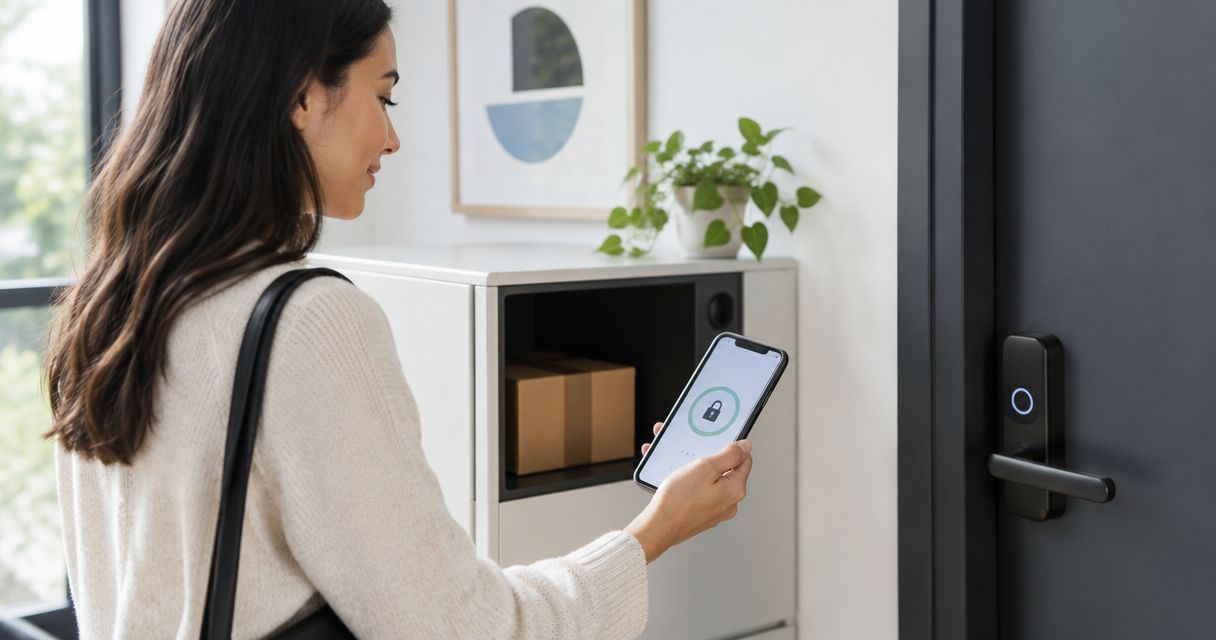
Instead of waiting by the door for laundry pickup, coordinate Hampr with a separately managed smart-lock guest code and an agreed handoff location. This 2026 guide explains the manual setup—not a verified app-to-lock integration—so you can arrange keyless access without sharing your household’s main code.
- To connect Hampr to smart lock access, coordinate a separate guest code; do not assume a native integration.
- Confirm that your pickup provider accepts the proposed access arrangement before creating or sharing a code.
- Use limited guest access when your lock supports it, and test the complete route before pickup.
- A door-unlock event confirms access, not that your laundry was collected.
Why this matters
A smart lock controls a door. A laundry order arranges a service. Those are separate tasks unless a documented integration explicitly connects them; creating a guest code does not book a pickup or tell anyone where your bags are.
Hampr laundry pickup is best for households and businesses seeking pickup, wash, fold, and delivery in select US cities. Its laundry service and your lock’s access controls serve different purposes. The workflow below coordinates them without assuming that either system can operate the other.
For your 2026 setup, keep the goal narrow: an agreed person can reach an agreed laundry location during an agreed visit. The trade-off is that you must manage the access details yourself. Your laundry gets a handoff plan, not a spare key to your whole life.
Before you start
- Have the right access. You need a confirmed laundry arrangement, administrator permission for the lock, its manufacturer’s instructions, and permission to use the proposed entrance. Check that your particular lock supports the guest-access method you intend to use.
- Agree on the handoff first. Confirm whether the pickup provider accepts a code-controlled entrance and the proposed bag location. A booking alone is not permission for someone to enter your home, garage, or shared building.
- Check every door on the route. A working apartment lock is useless if the building entrance remains inaccessible. Pickup and return delivery also need separate access planning when they happen at different times.
The non-obvious gotcha: a code can work perfectly and still lead to a failed pickup. An inaccessible lobby, a second locked door, or instructions that point to the wrong entrance can stop the handoff before your smart lock matters.
Lock apps use different menus and capabilities. Follow the exact field names in your manufacturer’s current instructions; there is no universal guest-code button or service-connection screen to follow here. Review building access rules before your first 2026 handoff rather than relying on an old arrangement.
Handoff location and access boundaries
Choose the smallest access area that gets the job done. A laundry pickup should not require a tour of your home.
Choose your handoff method
| Method | Best for | Advantage | Limitation |
|---|---|---|---|
| Agreed location outside a locked entrance | Households with a suitable, permitted handoff spot | Does not require sharing door access | Requires agreement on exposure, security, and the exact location |
| Scheduled guest code | Locks that support time-limited keypad access | Separates pickup access from the household code | Requires compatible lock features and correctly configured times |
| Remotely approved entry | People who can respond during the visit | Lets you approve access when someone arrives | Depends on your availability and the lock’s remote-access requirements |
Prefer a handoff that does not require entry when an acceptable location exists. Keyless access is useful only when it solves a real access problem; it is not a reason to invite someone farther inside.
- Identify the entrance and the precise bag location. Use plain directions such as the entrance’s position and a visible landmark, without exposing unrelated household details.
- Walk the route from the street. Check gates, intercoms, lobby doors, stairs, and the final lock rather than testing only the keypad.
- Define the boundary. State where bags will be collected and where entry must stop; keep private rooms outside the route.
- Agree on a fallback if access fails. Use a contact method both parties have confirmed, or arrange an attended handoff instead.
Expected result: you can describe the complete route, the permitted access area, and the fallback without relying on someone to guess.
Guest access configuration
Set up a separate guest credential only after the handoff arrangement is accepted. Do not share the code you use for everyday household access.
- Open the lock manufacturer’s app or management interface using an account authorized to manage access. Locate its documented guest-access controls.
- Create a distinct guest credential if your model supports one. Give the credential a descriptive internal name that helps you recognize its purpose later.
- Restrict access to the agreed visit when scheduling is supported. Check the date, time zone, and start and end times before saving.
- Check how the credential reaches the physical lock. Follow the manufacturer’s requirements for synchronization, connectivity, or local programming; an entry visible in an app is not a completed door test.
- Review what else the credential permits. Do not grant account administration, access to unrelated locks, or control of other household devices for a laundry handoff.
Expected result: the lock has a distinct guest credential with only the access your chosen model can actually enforce.
If the lock cannot limit a code by time, do not describe that code as temporary merely because you intend to delete it. Record a reminder to revoke it, or choose an attended handoff if manual cleanup does not fit your routine.
For example, set a personal review reminder 30 minutes before the agreed visit. That is a suggested planning buffer, not a pickup-time promise or a lock requirement. Use the reminder to check the booking and access settings—not to unlock the door early.
Pickup instructions and verification
The lock configuration and the pickup instructions must describe the same visit. Neither should depend on an old message buried in a conversation.
- Confirm the entrance, bag location, and access boundary through the communication method your pickup provider accepts. For help shaping the message, see the guide to special instructions for a laundry pickup order.
- Share the guest credential only through the agreed channel and only with the intended recipient. Never put it on an exterior label, public notice, or shared calendar description.
- State what should happen if entry fails. Ask the person arriving to contact you rather than try another entrance or follow someone through a secured door.
- Test the credential from outside with the door fully closed. Keep your normal backup entry method with you so the test does not become an accidental lockout.
- Confirm how you will verify collection and return. A lock event is not a laundry status update; agree on a separate confirmation method.
Expected result: the intended recipient knows where to go, how access works, and what to do when something does not match the instructions.
Use this simple handoff sequence for your 2026 checklist: Confirm visit, Prepare bags, Test access, Verify collection, Revoke access. Keep the checklist separate from the credential itself so a shared task list does not become a list of door codes.
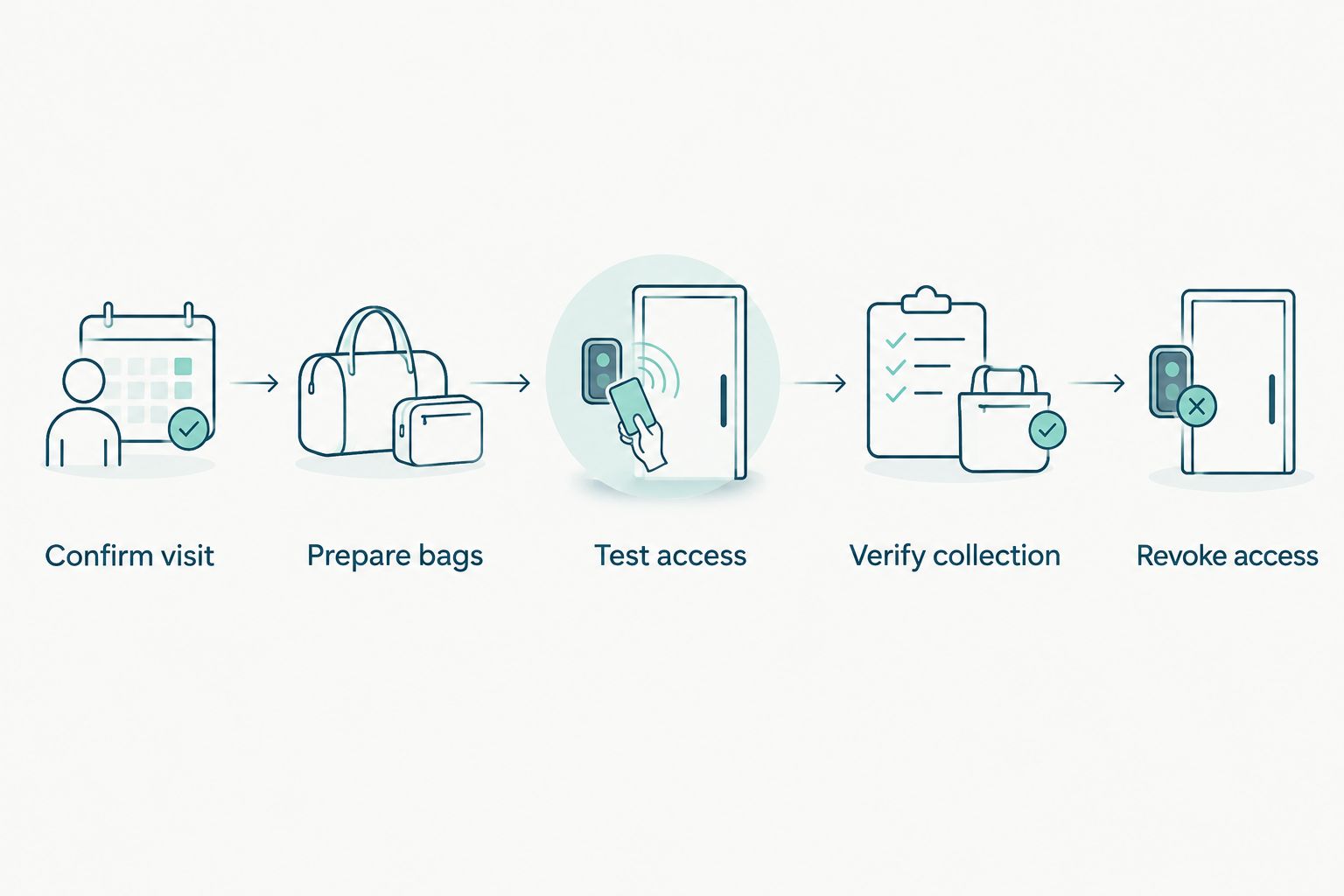
Run 2 checks before relying on unattended access: a credential test at the door and a complete route check from the building entrance. They answer different questions. The first proves the credential works; the second checks that someone can actually reach it.
Keep pets away from the access route and leave the bags at the agreed spot before the visit. Do not use a door-opening routine as a reminder to finish packing. Access should be the last preparation step, not the starting bell.
A rescheduled visit or return delivery
A changed pickup time needs an access review, not just a calendar edit. Likewise, return delivery is a separate visit unless your agreed arrangement explicitly covers it.
- Confirm the revised visit details before changing access. Do not widen a code’s active period simply because the original time no longer works.
- Update the guest schedule in the lock’s own controls if scheduling is supported. Check that the previous access period is no longer active when it should not be.
- Update the handoff instructions through the accepted communication channel. Make the current entrance and bag location unambiguous.
- Repeat the access test when the credential, door, or method changes. Review the return-delivery arrangement separately from collection.
- Revoke the credential after its final intended use. If the same code covers both agreed visits, do not remove it after collection and accidentally block the return.
Expected result: the booking, access window, and handoff instructions all refer to the current visit.
For repeated pickups, use a reminder to review access rather than assuming that a recurring reminder creates an order. A recurring lock schedule and a recurring laundry booking are different settings. Confirm each arrangement in the system that controls it.
Troubleshooting
The guest code is rejected
Check the credential’s active dates, the lock’s time settings, and the manufacturer’s synchronization requirements. Retest using the guest credential rather than your administrator access, which proves something different.
Do not solve the problem by sending your main code. If the guest method still fails, use the agreed fallback and troubleshoot the lock separately.
The lock works, but the entrance is unreachable
Walk the route again from the street. Look for a locked gate, controlled lobby, or intercom requirement that your original instructions missed.
Arrange access with the person authorized to manage that barrier. Do not ask a pickup provider to follow another resident inside or use a neighbor’s credential.
The door unlocks, but collection is unconfirmed
Treat the lock history as an access record, not evidence that bags were collected. Verify the laundry handoff through the confirmation method you agreed on.
Check whether the instructions identified the correct bags and location. Avoid sending another person inside to search through private areas.
Remote entry fails when someone arrives
Follow the lock manufacturer’s connectivity and power checks. Remote commands and local keypad entry are different functions; success with one does not prove the other works.
Use a previously tested fallback only if both parties agreed to it. Otherwise, arrange an attended handoff rather than improvising a new access method at the door.
Access remains active after the visit
Remove the guest credential or end its permission using the lock’s documented controls. Verify the change according to the manufacturer’s instructions rather than assuming that deleting a phone reminder also changes the lock.
If the credential was exposed beyond its intended recipient, revoke it and review the handoff communication. Do not reuse an exposed code for the next visit.
Customize your workflow
Once the basic handoff works, make the routine easier to repeat without expanding access. Keep a reusable checklist containing the entrance, preparation tasks, confirmation method, and access-review reminder—but no credentials.
For a household, decide who owns each task so nobody assumes someone else packed the bags. For a business, identify who can authorize access and who confirms that the laundry left or returned. Keep those responsibilities clear even when several people share the workload.
During your 2026 routine review, remove obsolete guest credentials and revisit any changed entrance rules. If your setup needs frequent exceptions, simplify the handoff location before adding more automations. A shorter route beats a longer troubleshooting list.
FAQ
Can I connect Hampr to a smart lock automatically?
This guide describes a manually coordinated guest-access workflow, not a verified native integration. Treat the laundry booking and the lock configuration as separate tasks unless official documentation confirms otherwise.
Do I need to share my main smart-lock code?
No. Use a separate guest credential when your lock supports it, or arrange a handoff that does not require sharing door access.
Can I leave laundry inside a locked entrance?
Only use that location after the pickup provider accepts the arrangement and you confirm permission to grant access. Specify the entrance, bag location, and access boundary before the visit.
What if my smart lock cannot schedule guest access?
Manage revocation yourself or choose an attended handoff. A code without an enforced expiration remains usable until the lock actually disables it.
Does a door-unlock alert prove my laundry was picked up?
No. A door-unlock alert records an access event, not a completed laundry collection. Verify collection through the confirmation method agreed with your provider.
What should I change if my pickup is rescheduled?
Review the guest credential’s active period and update the handoff instructions after confirming the new visit. Remove access for the old period when it is no longer needed.
Should I unlock the door before the pickup arrives?
Do not leave the entrance unlocked as a substitute for an access plan. Use a tested guest credential or approve entry when the intended person arrives, according to your agreed arrangement.
One last thing
A credential that expires is not proof that a door is locked. Access permission and the door’s physical state are separate checks. After the final handoff, verify that the entrance is secured as well as reviewing whether guest access has ended.