
Instead of checking your moving checklist every day, attach automatic laundry reminders to your confirmed moving date so the task comes back to you. To schedule Hampr pickup when moving, use those reminders to complete and verify the actual booking separately—a calendar alert does not place a laundry order.
- To schedule Hampr pickup when moving, automate the reminder and confirm the laundry order separately.
- Hampr provides laundry pickup, washing, folding, and delivery for households and businesses in select US cities.
- Choose pickup and return addresses before booking; moving day can split them between different homes.
- Keep the moving event and laundry appointment separate so changing one does not hide the other.
Why this matters
Moving creates an awkward laundry gap: your washer might be disconnected while your clothes are still very much in use. A reminder tied to the move keeps laundry on the checklist without asking you to remember another loose end.
Hampr laundry pickup is best for movers who want washing and folding handled outside the home. The service handles laundry, but you still need to coordinate the order with your move and access to each address. Start with Hampr to check the service details for your location.
This 2026 guide uses Google Calendar on the web to build a reminder workflow. It does not connect a moving company's booking system to a laundry ordering system, and it does not treat calendar activity as proof of a reservation.
The useful distinction is simple: automate the nudge, then verify the order. Your laundry should not become another box marked miscellaneous.
Before you start
- Have your confirmed move details ready. You need the moving date, both addresses, and the dates when you can access each home. Use the mover's latest confirmation rather than an earlier estimate.
- Have calendar and booking access. You need a Google account with permission to edit your chosen calendar, plus access to the laundry service's booking process. These instructions use the desktop Google Calendar interface.
- Resolve the return-address problem first. Pickup before moving does not automatically mean return before moving. Confirm where you can receive the clothes before submitting an order; do not assume an order can collect from one home and return to another.
For your 2026 move, keep the booking confirmation somewhere you can open from your phone. A beautifully organized desktop folder is less useful once the computer is packed.
Moving-date trigger
The confirmed moving date is the reference point for this workflow. You enter it once; the calendar then delivers the notifications you configure. This setup does not monitor your moving company's emails or detect a new booking automatically.
- Open Google Calendar in your browser. Select Create, then Event.
- In Add title, enter a clear name such as Move — confirmed. Choose a name you can recognize among packing tasks and utility appointments.
- Set the confirmed moving date. Select All day if the event represents the moving day rather than a specific appointment window.
- In the description, record the old address, new address, moving confirmation reference, and the last date you can enter the old home. Label each detail plainly.
- Leave Does not repeat selected. A household move should not quietly become next year's laundry reminder.
- Select Save.
Expected result: You have a single moving event showing the correct date and enough context to make a laundry decision without searching through several messages.
Use the actual date from your 2026 moving confirmation. Do not copy a date from a sample checklist, and check the calendar's time zone if the move crosses time zones.
The description is a reference, not a place to store everything. Leave payment information, door codes, and other sensitive details out of a shared moving calendar. Share only what other household members need to coordinate the move.
Laundry reminder settings
Set alerts early enough to make a decision, then use a later alert to check that the decision became a confirmed order. The intervals below are a planning template, not a service lead-time requirement or a promise about laundry turnaround.
- Open the moving event and select Edit event.
- Select Add notification. Set an initial reminder for 7 days before the moving date to review address coverage and decide whether laundry belongs before or after the move.
- Select Add notification again. Set another reminder for 2 days before the move to check the laundry plan, access arrangements, and any existing booking confirmation.
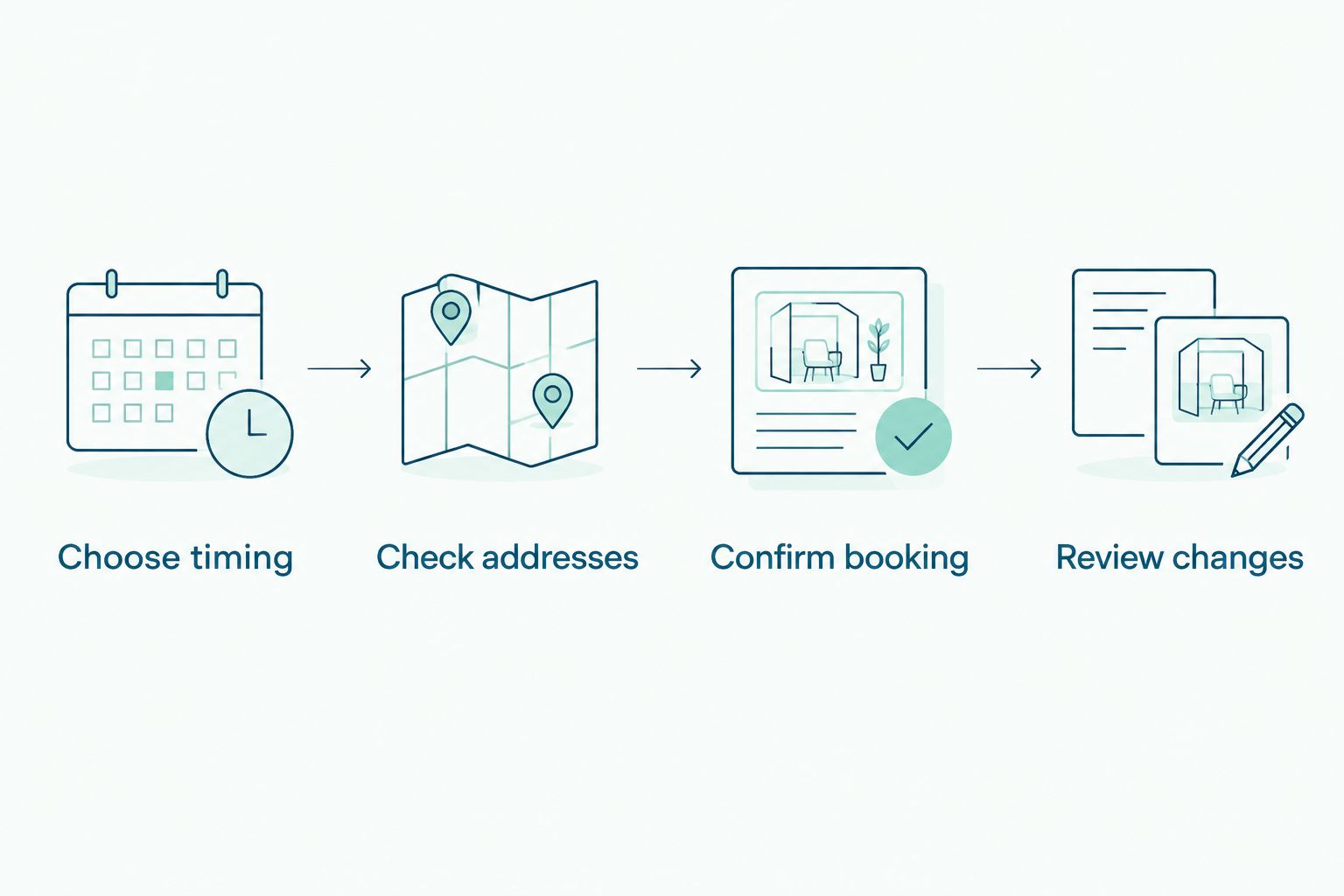
- Add a short checklist to the event description: Choose timing, Check addresses, Confirm booking, and Review changes. These are your checklist labels, not booking controls.
- Select Save. Check that the intended calendar is visible and that your device permits calendar notifications.
Expected result: The moving event contains automatic reminders and a written decision checklist. It still does not contain a confirmed laundry order unless you complete that booking separately.
For a 2026 moving checklist, use the same event name on shared household calendars. Two differently named events for the same move make it harder to identify which date is current.
Before relying on the setup, create a separate test event with a notification 10 minutes ahead. Confirm that the alert reaches the device you will actually carry during the move, then delete the test event. A saved notification setting is not the same as a notification you have seen work.
Pickup timing and booking
Choose the side of the move that gives you a clear pickup and return plan. Neither choice wins automatically: the right choice depends on access to the home and the arrangements confirmed for your order.
| Workflow | Best for | Main benefit | Main limitation |
|---|---|---|---|
| Laundry before moving | Movers who can receive the returned clothes before leaving | Clean clothes can go into the packing plan | The return must fit your remaining access to the old home |
| Laundry after moving | Movers who want to settle into the new home first | Pickup and return can be planned around the new address | You need clothes ready to use while the laundry is away |
Choose the workflow with the clearest return plan, not just the earliest pickup. A pickup that fits neatly around the movers is not useful if the clothes come back to a place you can no longer enter.
- When the first reminder arrives, decide whether to book before or after moving. Check the service details for the actual pickup address.
- Review the pickup and return arrangements presented during booking. Confirm the address, apartment or unit information, and any access instructions the booking process accepts.
- Complete the Hampr laundry pickup booking separately. Do not stop at a draft, a calendar entry, or a reminder marked done.
- Review the resulting confirmation. Check the details against your moving plan rather than assuming the saved information is still correct.
- Create a separate calendar event for the confirmed laundry appointment. In Add title, use Laundry pickup — confirmed, and enter only the timing actually confirmed for the order.
- Add the confirmation reference to that event's description, then select Save. Record the confirmed return arrangement separately if it is not already clear.
Expected result: Your calendar distinguishes the moving date, the reminder to arrange laundry, and the actual laundry appointment. You can tell at a glance what is planned and what is booked.
Keep clothes you will need during the move out of the outgoing laundry. That includes your moving-day outfit and anything needed before the confirmed return. The goal is fewer chores, not an emergency search through taped-up boxes.
Whenever your moving date changes
A changed moving date is a second workflow, not just a calendar edit. Notifications attached to the moving event follow that event's date; a separate laundry order does not change because you moved something on a calendar.
- Open the moving event and select Edit event. Replace the old moving date with the newly confirmed date, then select Save.
- Review the 7 days and 2 days reminder settings. If either reminder point is already in the past, handle that checklist item now instead of waiting for another alert.
- Open the separate laundry appointment. Compare its confirmed pickup and return arrangements with your revised access dates.
- If the laundry arrangement no longer fits, review the service's change process before assuming it can be moved. Keep the original appointment visible until you have confirmation of the change.
- Update the laundry calendar event only after the revised arrangement is confirmed.
Expected result: The calendar reflects the new moving date, while the laundry event reflects the actual order rather than an intended change.
For any move rescheduled during 2026, review the address as well as the date. A temporary stay between homes changes where you can receive clothes, even when the final destination stays the same.
If you share the moving calendar, appoint one household member to handle the laundry booking. Other people can review the plan without creating a second order.
Troubleshooting
The reminder appeared, but no pickup was booked
A notification is a prompt, not an order confirmation. Open your booking account or confirmation message and verify whether an order exists before submitting another request. Mark the reminder complete only after you have checked the booking outcome.
The calendar alert never reached your phone
Check that you are signed into the correct Google account and that the moving calendar is visible. Review your phone's notification permissions and focus settings, then repeat the short test event. Test on the device you will use during the move, not just your computer.
The moving date changed, but the pickup stayed the same
That is the boundary between the two systems: editing a calendar event does not edit a laundry order. Review the existing booking through the service's change process, then update the calendar after receiving confirmation. Do not delete the old appointment as a substitute for changing the order.
The order shows the old address
Pause before creating a replacement order. Compare the saved booking details with the address where you can actually hand over and receive laundry, then follow the service's process for correcting the arrangement. Calendar notes alone do not update an order's address.
Two household members arranged laundry
Compare confirmation references to establish whether there are separate orders or merely duplicate calendar entries. If separate orders exist, review the applicable change process. For future reminders, put the booking owner's name in the shared event description so everyone knows who is handling it.
Customize your workflow
Once the basic reminders work, make the checklist useful for your household. Add a packing note for the clothes staying with you, a reminder to check building access, or a task to confirm who will receive the returned laundry.
Keep recurring laundry planning separate from the one-time move. A moving event should end when the move is complete; an ongoing household routine needs its own calendar entry. The guide to Google Calendar for recurring pickups covers the adjacent planning topic.
For shared calendars, use roles rather than assumptions: one person books, another checks that the laundry is ready. Give both people access to the confirmed appointment details without putting private account credentials in the event.
Keep automation on reminders and keep approval on orders. That gives you a useful nudge while preserving a chance to catch the wrong date, address, or return plan before committing.
FAQ
Can I automatically schedule Hampr pickup when my move is booked?
This workflow automatically reminds you to arrange pickup; it does not automatically submit a Hampr order. Enter your confirmed moving date in Google Calendar, set notifications, and complete the laundry booking separately.
Does adding a laundry event to Google Calendar book a pickup?
No. A calendar event records your plan, while the laundry service's booking confirmation establishes the actual order. Keep the two clearly labeled.
Should I arrange laundry before or after moving day?
Choose the option with a clear pickup and return plan. Book before moving only when the confirmed return fits your access to the old home; otherwise, plan around the new home.
What happens to my laundry booking if I change my moving date?
Changing the moving event does not change a separate laundry booking. Review the existing order through the service's change process and update your calendar after the revised arrangement is confirmed.
Can laundry be picked up at my old home and returned to my new home?
Do not assume different pickup and return addresses are supported for your order. Confirm the arrangement through the booking process before relying on it during the move.
How early should I set my moving laundry reminders?
This guide suggests reminders 7 days and 2 days before moving as a planning template. Those intervals are not service booking requirements or promised turnaround times; adjust the reminders to your confirmed arrangements.
What should I do if my reminder fires after I already booked?
Use the reminder to verify the existing booking rather than place another order. Check the confirmation reference, address, pickup details, and return arrangement against your latest moving plan.
One last thing
Plan backward from where you can receive the clean clothes. Pickup gets the laundry out of your way, but return is what determines whether the whole plan works.
Before packing your phone charger, open the moving event and the confirmed laundry appointment side by side. Check the address, access date, and return arrangement once more. Then you can get back to the other moving-day mystery: which box contains the coffee mugs.